ways to help, explained: every type of action on chilli
Six types: email, social comment, Google Maps, phone call, survey and external link. Email is your workhorse, calls hit hardest, comments and reviews go public, surveys warm people up.
A way to help is one concrete task inside your action: send this email, make this call, post this comment. You get six types, and each one puts pressure somewhere different. Pick the right mix and a single action can hit an inbox, a phone line and a CEO's comment section in the same afternoon.
Here's every type, what you set up, what your supporters see, and when to reach for it.
the cheat sheet
| type | you set up | supporter taps | best for |
|---|---|---|---|
| to, subject, body | "send email" | pressure on a named decision-maker | |
| social comment | platform, post link, example comment | "comment on Instagram" (or LinkedIn, X) | public pressure where the target's audience can see it |
| Google Maps | Maps link, example review | "comment on Google Maps" | businesses and places that live on their reputation |
| phone call | phone number, script | "call" | offices that count calls (politicians, local officials) |
| survey | a question and answers | "answer survey" | warming people up, learning what your community thinks |
| external link | the link, a message they can copy | "take action" | petitions, consultations, anything that lives off chilli |
What it is: your supporters send an email you wrote to the person with the power to decide.
What you set up: the "to" address (one or several), a subject and the body. chilli personalises the body for each supporter, "so no two emails are the same". The app also checks addresses and warns you when it "couldn't confirm" one exists, so you can fix it before anyone hits send.
What supporters see: a ready-to-send email, tailored to them. They tap "send email" and it's done.
Use it when: there's a named person with an inbox. Ministers, council members, CEOs, heads of sustainability, journalists. Email is the backbone of most wins on chilli, which is why we recommend at least one in every action.
Tip: write the body as one ordinary person, not an organisation. Keep it to one ask and one hard fact. Polite and firm beats angry and long.
social comment
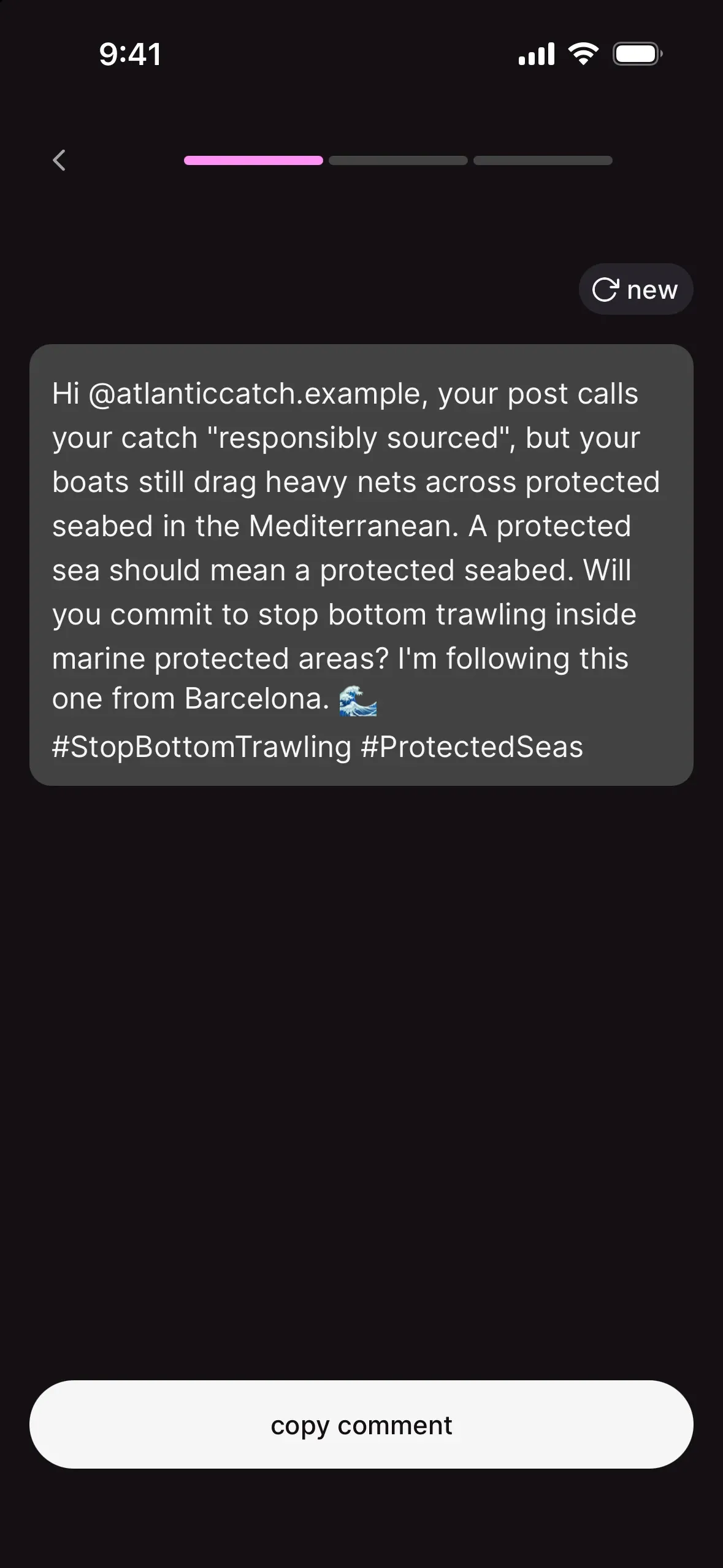
What it is: your supporters comment on a specific public post, usually the target's own. Picture a company's shiny sustainability post, suddenly full of questions it doesn't want to answer.
What you set up: pick one platform (the app offers Instagram, LinkedIn or X), paste the link to a public post (not a profile, not a private post) and write an example comment. Hashtags, @mentions and emojis are welcome. Tap see examples to preview how other supporters' versions could look.
What supporters see: their own version of the comment and a button that opens the post.
Use it when: the target cares about how they look. Brands, influencers, investors, public figures.
Tip: keep hashtags and mentions exact, and don't include dates in the comment (they age badly).
Google Maps
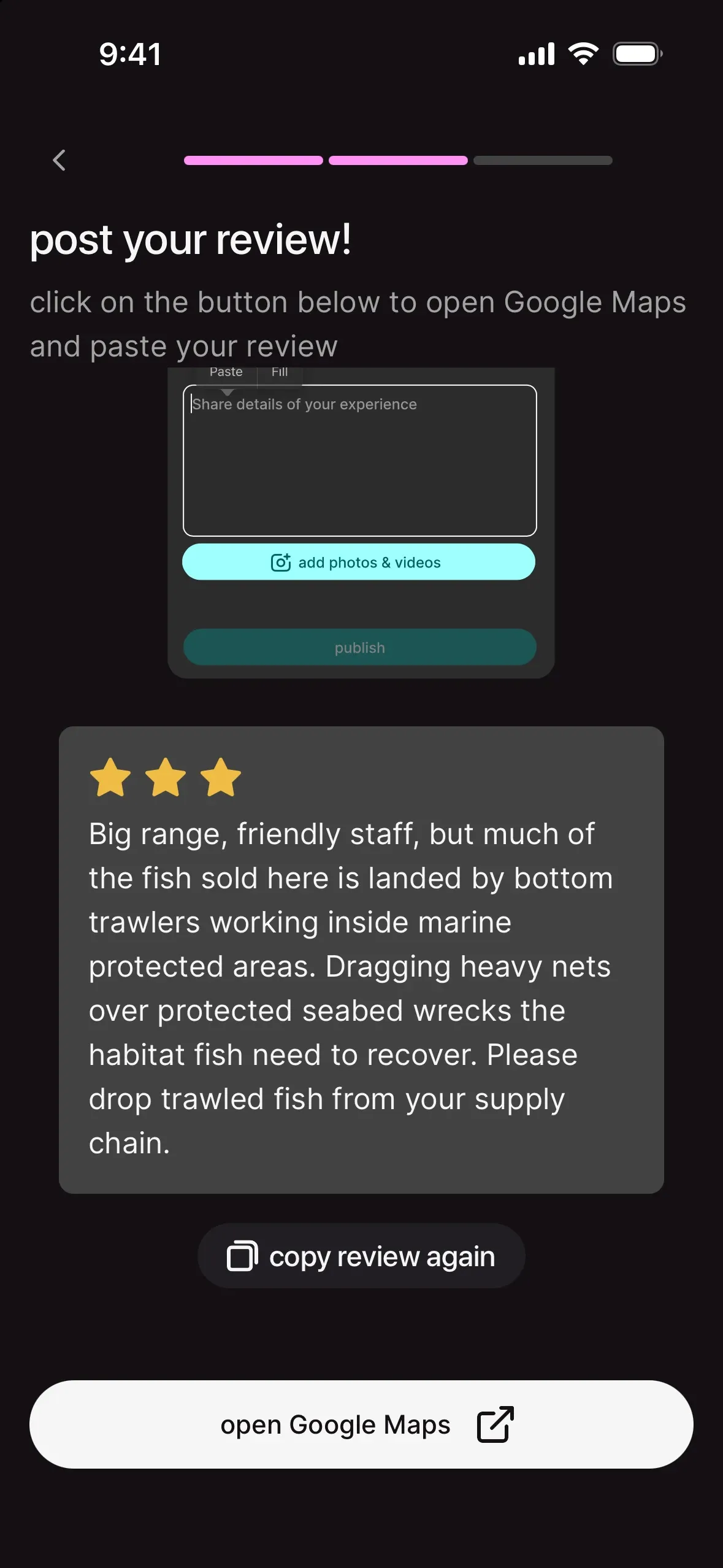
What it is: supporters leave a review on a specific place: a hotel, a restaurant chain, a company HQ, an aquarium.
What you set up: the Google Maps link of the place (find it on Google Maps, tap share, copy the link) and an example review.
What supporters see: a personalised review, copied and ready to paste, plus a button to open the place on Maps.
Use it when: the target depends on walk-in customers or tourists and its star rating is its lifeblood. The Captain Paul Watson Foundation used reviews on businesses linked to Icelandic whaling.
Tip: reviews should be factual and specific. "This company profits from the fin whale hunt" is fair. Personal insults get reviews removed.
phone call
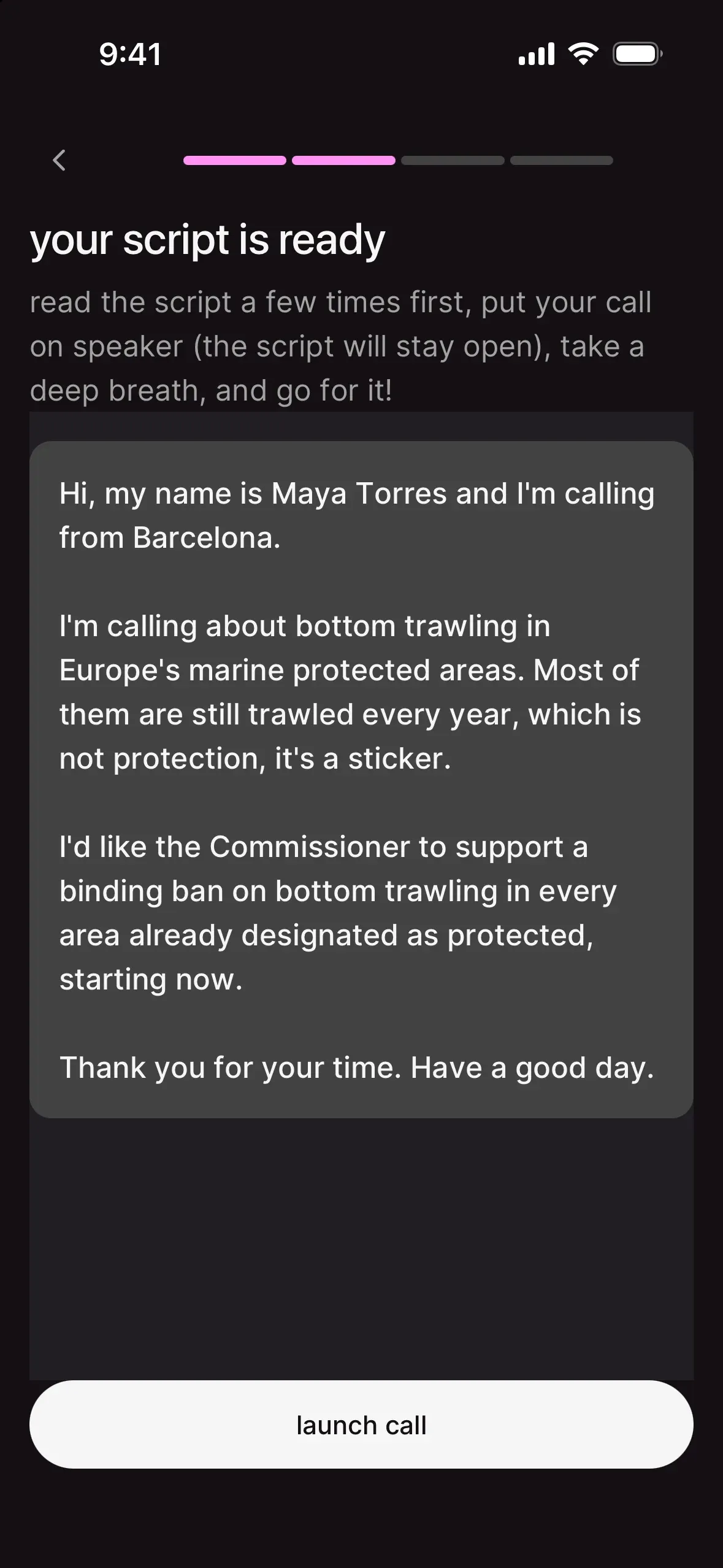
What it is: supporters call a number and read a script you wrote.
What you set up: the phone number, with the country code (+1 917 353 7000), and a script written as if you were the one calling. "Short, polite and firm works best." chilli adapts it to each caller's name and city.
What supporters see: the script, personalised, and a "call" button.
Use it when: you're targeting a political office. Staffers tally calls, and a ringing phone is harder to ignore than a full inbox. EarthlyEducation paired 2K emails with 65 calls to Congress, and CBP paused construction in Big Bend six days after launch.
Tip: calls are the highest-effort way to help. Put one easier task before it, and reassure people: "it takes two minutes and you just read the script".
survey
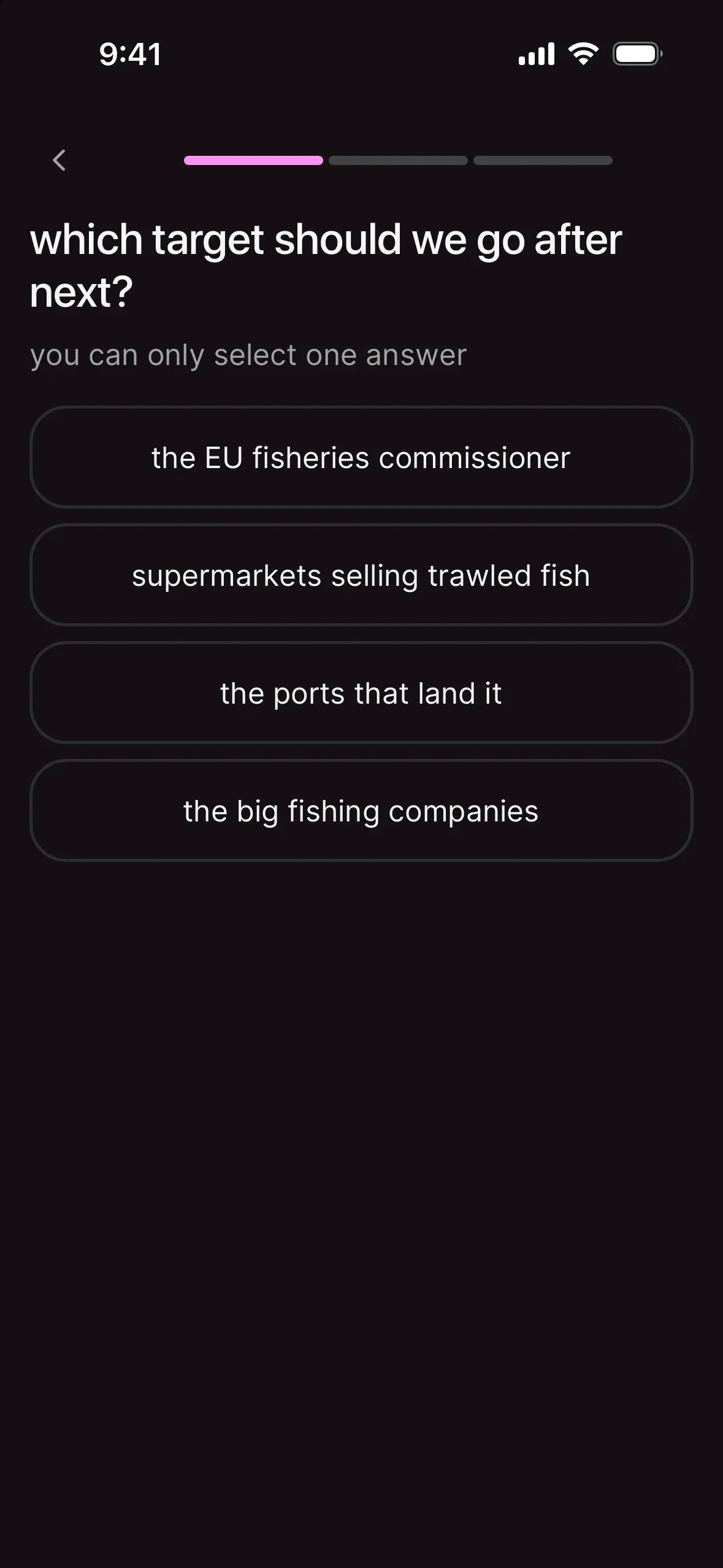
What it is: a question with answers, single choice or multiple choice.
What you set up: your question and at least two answers. Tap add an answer for more, and the bin icon to remove one. Toggle multiple selection if people can pick more than one.
What supporters see: the question, the choices, "answer survey".
Use it when: you want an easy first step (it takes five seconds and gets people moving), or you want to know what your community thinks before your next action. "Which should we go after next: the bank or the insurer?"
Tip: put the survey first in the list. It gives people a quick first step before they tackle a longer ask.
external link
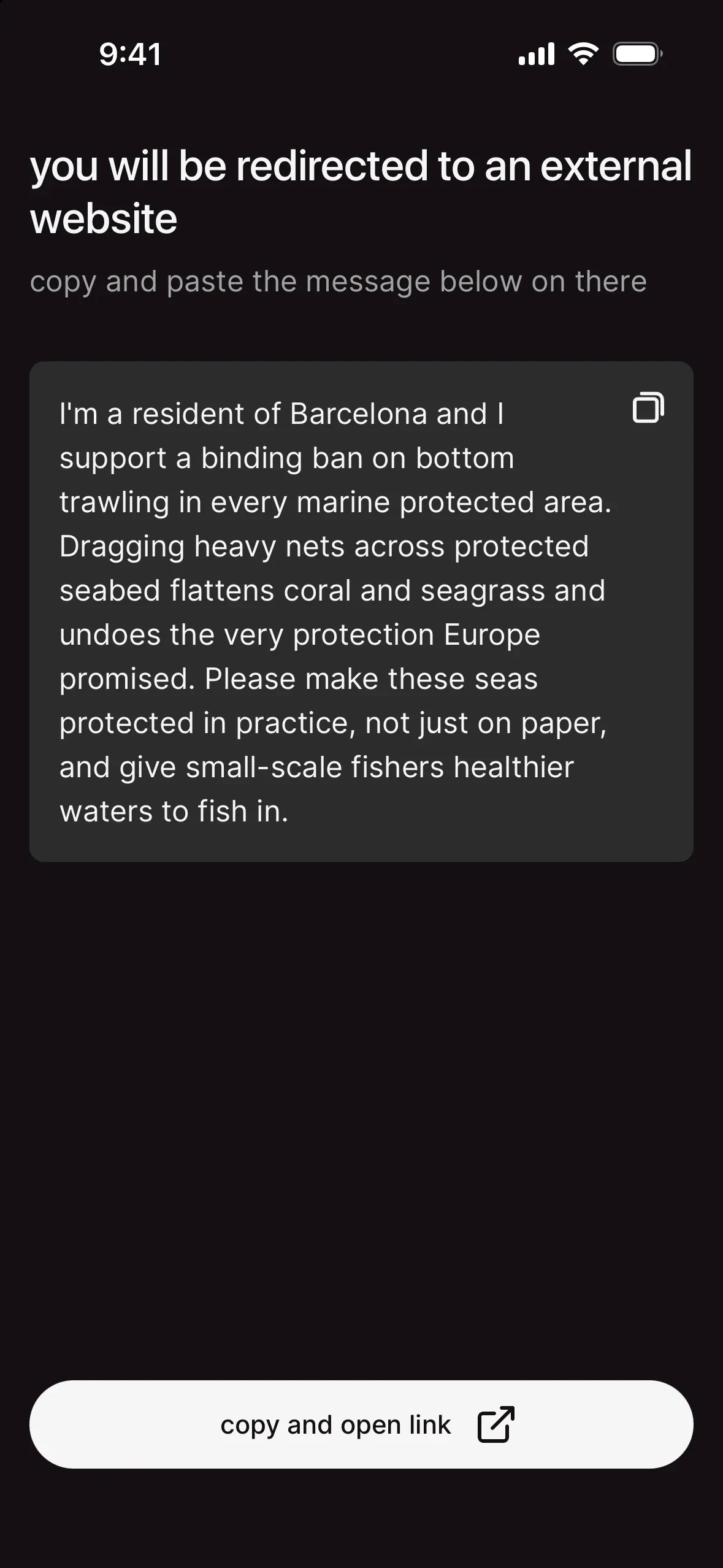
What it is: a way to help that sends people anywhere on the web: an official petition, a public consultation, a registration page, an article.
What you set up: the link to the page you're sending people to, plus exactly what to do once they get there. If people write something on that page (a petition comment, a consultation answer), add a message they can copy: chilli personalises it for each supporter.
What supporters see: the task, their comment and "take action".
Use it when: the action has to happen somewhere else, like a government consultation where every submission counts. Caroline Gleich's Stratos campaign included public comment filings and voter registration checks, exactly the kind of task that lives off chilli.
Tip: external links break the flow a little, so be crystal clear about what people should do when they get there.
what about donations?
Donating isn't a way to help. It's a separate fund button on your action page and profile ("fund @yourname", "fund the fight"), one-time or monthly. Keep them separate on purpose: lead with action, and let the money follow. Details in set up donations and get funded by your community.
mixing them well
A strong action usually blends three or four types:
- start easy: a survey or a comment.
- hit the core target: an email to the decision-maker.
- turn it up: a call, a review or a comment on the target's own post.
Caroline Gleich's Stratos campaign used this mix at scale: 10K emails, 221 social comments, public filings and more, across 8 pressure points.

 real win · Caroline GleichHow Caroline Gleich made Stratos a national fight
For more on combining them, read how to design an action people actually complete.
publishing a way to help
When you tap publish now or schedule, a short screen shows you what's happening ("publishing your email…"). It ends one of three ways:
- live: your action is already public, so the way to help is added to it right away, and "N supporters will be notified" in the next few minutes.
- scheduled: it "goes live" on the date you picked, "automatically, nothing to do". Your supporters get notified when it does.
- ready: your action isn't live yet, so the way to help "goes live with your action", as soon as you publish it. Nobody can see it until then.
Live: tap share it, then add another way to help (until you have 3) or see it on my action. Scheduled or ready: add another way to help or see it on my action (a ready one may offer go live instead).
manage your ways to help
Open your action. Under ways to help, tabs sort them by where they're at. Only you see the tabs, and only you see what's scheduled, in draft or archived.
| tab | what's in it |
|---|---|
| live | what supporters can see and do right now. Before your action is published, it's called ready: "only you can see these until you publish your action". |
| scheduled | ways to help with a date. They go live on their own. |
| in draft | the ones you saved with save as draft. Nobody sees them. |
| finished | ways to help that have ended. |
| archived | ways to help you took down for good. |
live is always there. The other tabs only show up when they have something in them.
Drafts carry a grey draft tag and an edit & publish button: tap it, check your copy, publish.
The "…" menu on each card holds the rest:
- pin this: keeps a live way to help at the top of your action.
- edit: change the copy (not on archived ones).
- publish: puts a draft or a scheduled way to help live now.
- move to draft: takes a live or scheduled one off your action and back to your drafts. Unpin it first.
- archive (live and scheduled ones): people won't see it or be able to take part anymore, and "you can't bring it back".
- delete (drafts, finished and archived ones): "it'll be gone for good, along with everything people did on it."
Done with a way to help people already took part in? Archive it. Keep delete for drafts nobody ever saw.
Tried your own ways to help? Good test run. They're listed under N completed next to the title, each with a manage button that jumps to its card and opens the "…" menu.
Got drafts waiting? Tap add a way to help and the "what should your supporters do?" screen shows my drafts (N). Tap it to finish one instead of writing a new one.
"nobody can see this yet"? None of your ways to help is live. Tap see my drafts and publish one.
Sometimes the chilli team prepares ways to help for you, ready to check and publish. Here's how that works: review what the chilli team prepared for you.
your next move
You've got the tools. Now write a title that makes people tap: the CTA formula: how to write an action title people can't ignore.